


Our verdict
ManageWP is a free and cheap way to run many WordPress sites from one dashboard, but its support reviews are weak and its Worker plugin had three serious security flaws in 2026.
- The free plan covers unlimited websites, with monthly cloud backups, updates and 1-click login.
- Paid add-ons cost $1 to $2 per site a month, billed monthly after use, with no contract.
- Premium backups run as often as hourly, are encrypted, and can be stored in the US or the EU.
- The Worker plugin had three high-severity security flaws in 2026, including an unauthenticated login bypass; all are fixed.
- Only 2.4 out of 5 on Trustpilot, where unprompted reviews describe slow support and billing after cancellation.
- There is no published SLA or guarantee, and support is an email form only.
At a glance
- Service kind
- Website management tool
- Delivered by
- Software
- Company
- GoDaddy
- Plan reviewed
- Free plan with premium add-ons
- Billing
- Monthly, billed after use; no contract; card only
- Free plan or trial
- Free plan for unlimited sites
- Yearly cost, one site
- $36 (Backups add-on ($2) and Uptime Monitor ($1) for 12 months)
- What is covered
- Unlimited sites; free backups monthly, kept 90 days
- Response time
- 24/7, 1-hour average (vendor claim)
- Guarantee
- None published
- Access required
- Admin-level access through the Worker plugin
- Data location
- Backups in the US or the EU, your choice
- Support
- Email form (support, sales)
- AI features
- None found
- Connector plugin
- 1,000,000+ installs, 4.6/5 (680), v4.9.39
- Refund policy
- Billed monthly after use; the terms say used service is not refunded; cancel any time (managewp.com/terms-of-service, revised Oct 2021).
- Security
- Worker plugin, per WPScan: unauthenticated authentication bypass fixed in 4.9.37 (Aug 2026, CVSS 8.1); two unauthenticated stored XSS fixed in 4.9.32 (Apr and May 2026, CVSS 7.2). Patchstack also lists an authentication bypass fixed in 2020. None unpatched on 17 Nov 2026.
By Olivia Brooks, Service Reviewer. Published data checked on 17 November 2026 for ManageWP’s free plan and premium add-ons. Disclosure: WPScorix may earn a commission if you buy through our links. It never changes our scores.
What ManageWP is and who it is for
ManageWP is a website management tool: software, not people, that lets you run many WordPress sites from one dashboard. You install its Worker plugin on each site, then update plugins, run backups, log in and send client reports from the ManageWP dashboard.
It suits freelancers and agencies with several sites, and anyone who wants off-site backups and one place for updates. The free plan covers unlimited sites, so it costs nothing to try. ManageWP is a GoDaddy brand; it joined GoDaddy in September 2016, according to its About page.
Skip it if you run one site and are happy with your host’s backups, or if you would rather keep your management dashboard on your own server, which MainWP and InfiniteWP allow.
How we reviewed ManageWP
This is a Stage 1 review: we have not used a ManageWP account yet. Plans, prices and terms come from ManageWP’s own pages, read on 17 November 2026. Plugin data and security records come from WordPress.org, WPScan and Patchstack. Support and Ease of use are scored from community reviews, not our own tests.
We will test ManageWP hands-on when we have a public test site, and update the score. Read more about how we review.
What you get
Feature check
| Feature | Free | Pro | Our result |
|---|---|---|---|
| Unlimited websites | ✓ | ✓ | Works |
| Plugin, theme and core updates | ✓ | ✓ | Works |
| 1-click login to wp-admin | ✓ | ✓ | Works |
| Monthly cloud backups (kept 90 days) | ✓ | ✓ | Works |
| Hourly or on-demand backups, clone and migrate | ✗ | ✓ | Pro only |
| Safe Updates with automatic rollback | ✗ | ✓ | Pro only |
| Uptime monitor (every 60 seconds) | ✗ | ✓ | Pro only |
| Client reports (branded, scheduled) | ✓ | ✓ | Partial |
| White label | ✗ | ✓ | Pro only |
| Two-factor login for your account | ✓ | ✓ | Works |
| AI tools | ✗ | ✗ | Not supported |
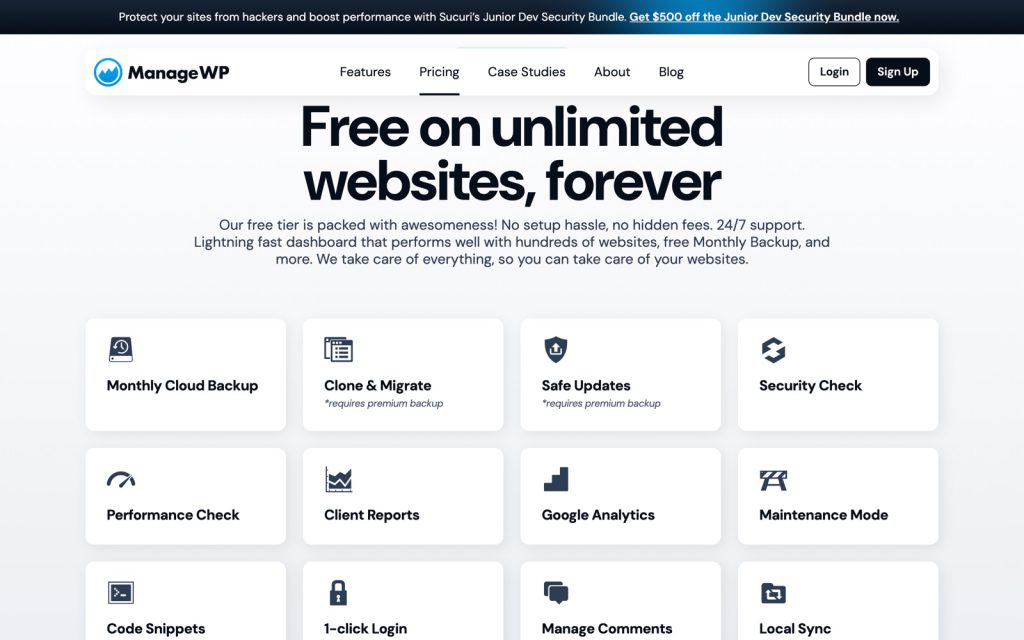
The free plan covers unlimited websites. It includes monthly cloud backups kept for 90 days, plugin, theme and core updates, 1-click login to each site’s admin, manual security and performance checks, client reports, Google Analytics, maintenance mode, code snippets and team access. Two-factor login for your ManageWP account is free too.
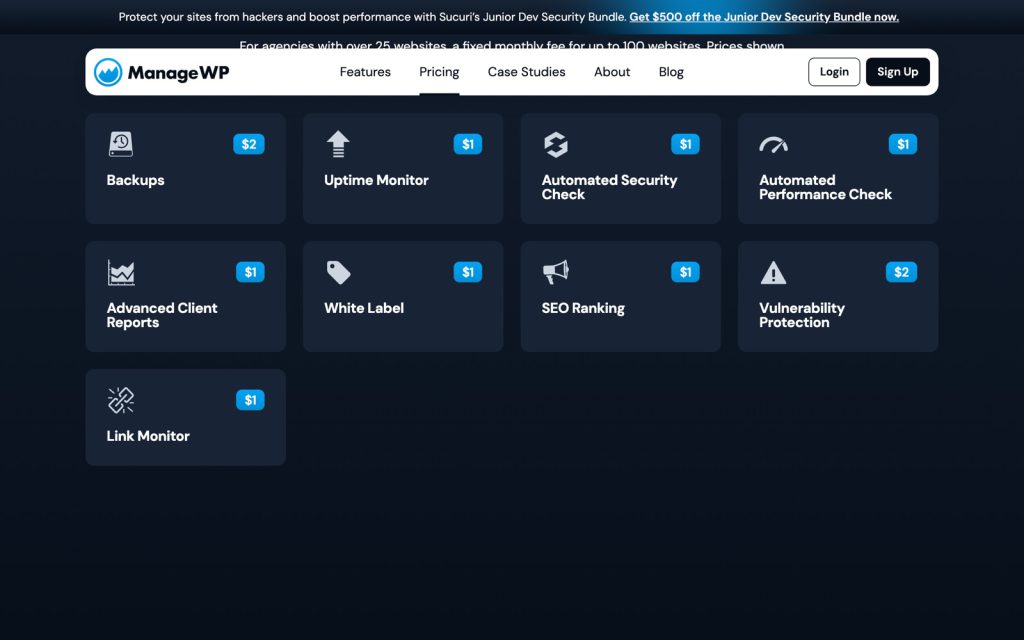
Everything else is a paid add-on, priced per site per month. The Backups add-on ($2) adds on-demand backups, schedules as often as hourly, file exclusions, cloning and migration, and Safe Updates. Uptime Monitor, scheduled security and performance checks, advanced client reports, white label, SEO ranking and link monitoring cost $1 each; Vulnerability Protection costs $2.
Safe Updates is the most useful add-on. ManageWP takes a restore point before an update, checks the site afterwards, and rolls back automatically if the site returns an error, with before and after screenshots, according to its feature page. Sites hosted on GoDaddy get premium backups, Safe Updates and the uptime monitor at no extra cost.
AI features
We found no AI features on ManageWP’s features page, pricing page or recent blog posts.
How ManageWP works with WordPress
You sign up at managewp.com, then install the free ManageWP Worker plugin on each site and connect it to your dashboard. The Worker plugin has over 1 million active installs and a 4.6 rating from 680 reviews on WordPress.org, and it was last updated on 2 November 2026 and tested up to WordPress 7.1.4.
The Worker plugin needs admin-level access to each site, because it runs updates and backups for you. To remove ManageWP, disconnect the site in the dashboard and delete the Worker plugin. Download any backups you want to keep first: the terms say you can no longer restore them after you leave.
Results and reliability
Published results and records
| Metric | ManageWP | Source |
|---|---|---|
| Service status, last 90 days | All components operational | status.managewp.com, 17 Nov 2026 |
| Uptime monitor check interval | 60 seconds | ManageWP feature page (vendor), 17 Nov 2026 |
| Backup frequency, free / premium | Monthly / up to hourly | ManageWP feature page (vendor), 17 Nov 2026 |
| Backup retention, free plan | 90 days | ManageWP feature page (vendor), 17 Nov 2026 |
| Average support response | 1 hour (claim) | Worker plugin FAQ (vendor), 17 Nov 2026 |
| Websites managed | 2M+ (claim) | ManageWP About page (vendor), 17 Nov 2026 |
| Worker plugin active installs | 1M+ | WordPress.org, 17 Nov 2026 |
| High-severity Worker flaws in 2026 | 3, all fixed | WPScan, updated 2 Nov 2026 |
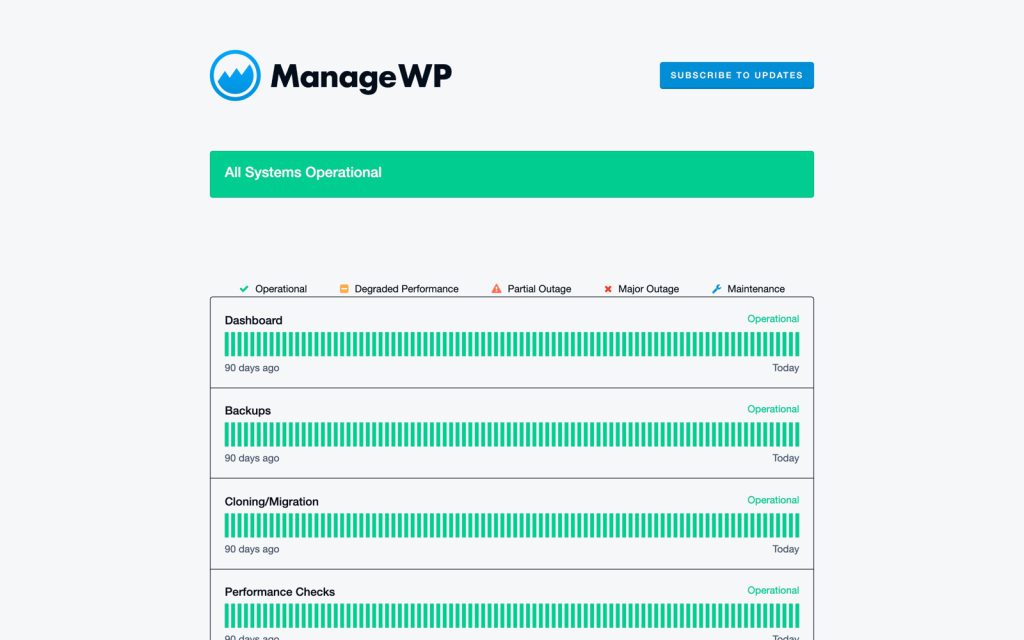
We have not measured ManageWP ourselves yet, so the table shows published records and vendor claims, each labelled. The public status page showed all components working over the past 90 days on 17 November 2026. ManageWP says it has managed over 2 million websites; that is its own claim.
There is no published SLA or uptime guarantee for the service itself. ManageWP has been running since 2012, which counts in its favour, but its terms of service were last revised in October 2021 and still describe an older product, ManageWP Classic.
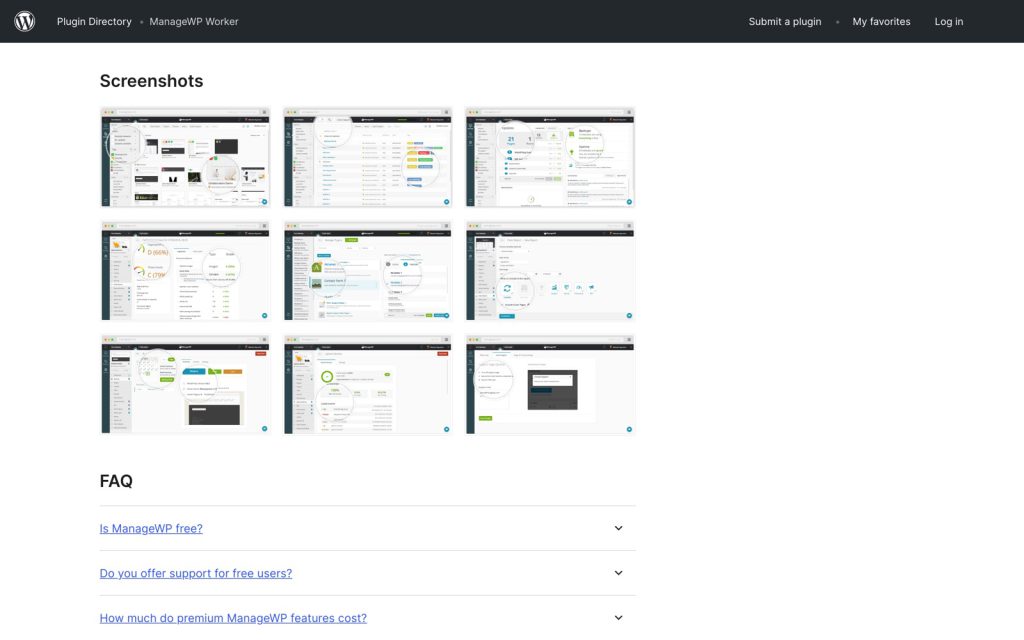
ManageWP screenshots
Security and your data
ManageWP says all backups are encrypted in transit and at rest, and you choose a US or EU data centre for each site. Account two-factor login is free, and it is required before you add collaborators.
The Worker plugin’s security record is the main concern. WPScan lists three high-severity flaws in 2026: two unauthenticated stored cross-site scripting issues fixed in version 4.9.32, and an unauthenticated authentication bypass in the 1-click login, fixed in 4.9.37 in August. Patchstack lists a fourth, an authentication bypass fixed in 2020. None was unpatched on 17 November 2026.
The Worker plugin’s own FAQ still says ManageWP has not had a single security incident since 2012. Because the plugin can log in to your site as an admin, keep it updated and turn on automatic updates for it.
ManageWP support
What customers say elsewhere
| Source | Rating | Reviews | Note |
|---|---|---|---|
| Trustpilot | 2.4/5 | 20 | All recent reviews unprompted; only 2 in the last 12 months (seen 17 Nov 2026) |
| WordPress.org (Worker plugin) | 4.6/5 | 680 | Plugin ratings; recent reviews mention connection problems and slow support (seen 17 Nov 2026) |
| WordPress.org support forum | 0 of 1 resolved | 1 thread | Threads resolved in the last two months (seen last 2 months) |
| G2 and Capterra | Not read | Both blocked automated reading (seen 17 Nov 2026) |
This score is based on community reviews, not our own support test. ManageWP’s contact page is an email form for support, sales and other questions; it lists no phone or chat. Its WordPress.org FAQ promises 24/7 support with a 1-hour average response time; that is the vendor’s claim.
Customer reviews are weaker. ManageWP has a TrustScore of 2.4 from 20 reviews on Trustpilot, all unprompted, with complaints about billing after cancellation, slow or failed backups and clones, and bugs left unfixed. Recent WordPress.org reviews mention connection problems and slow support, and only 1 support thread was opened there in the last 2 months, unresolved.
Our reading: the evidence is thin. Trustpilot has only 2 reviews from the last 12 months, and we could not read G2 or Capterra, so we used two community sources instead of our usual three. We have kept the Support score low and will test it ourselves.
Pros and cons
Based on published data and community reviews checked on 17 November 2026. Not hands-on tested yet.
Pros
- The free plan covers unlimited websites, with monthly cloud backups, updates and 1-click login.
- Paid add-ons cost $1 to $2 per site a month, billed monthly after use, with no contract.
- Premium backups run as often as hourly, are encrypted, and can be stored in the US or the EU.
- Safe Updates takes a restore point and rolls back automatically if an update breaks the site.
- The Worker plugin has over 1 million active installs and was updated on 2 November 2026.
Cons
- The Worker plugin had three high-severity security flaws in 2026, including an unauthenticated login bypass; all are fixed.
- Only 2.4 out of 5 on Trustpilot, where unprompted reviews describe slow support and billing after cancellation.
- There is no published SLA or guarantee, and support is an email form only.
- ManageWP is billed after use, and its terms say used service is not refunded.
- We found no AI features.
ManageWP pricing
What ManageWP costs for one site for a year
ManageWP pricing (checked 17 Nov 2026, USD, billed monthly)
| Plan or add-on | Price | What you get | |
|---|---|---|---|
Free | $0 (unlimited sites) | Monthly cloud backup, updates, 1-click login, security and performance checks, client reports | See free plan |
| $2/site/mo | On-demand and up to hourly backups, cloning and migration, Safe Updates. Bundle: $75/mo for up to 100 sites | See plans | |
Uptime Monitor | $1/site/mo | Checks every 60 seconds; email, SMS or Slack alerts. Bundle: $25/mo for up to 100 sites | See plans |
Vulnerability Protection | $2/site/mo | Plugin and theme vulnerability protection (per the pricing page) | See plans |
All-in-one bundle | $150/mo | Every add-on, for up to 100 websites | See plans |
For one site, a typical paid setup is the Backups add-on at $2 and the Uptime Monitor at $1 a month: $3 a month, or $36 a year. Adding Vulnerability Protection brings it to $60 a year. You can stay on the free plan for as many sites as you like.
Agencies with more than 25 sites can switch to bundles: each add-on costs a fixed fee for up to 100 sites, from $25 a month (Backups: $75), or $150 a month for every add-on. ManageWP bills monthly after use, by card only, with no contract. The terms say service already used is not refunded.
Score breakdown
- Service quality: 3.5/5. A generous free plan and useful add-ons such as Safe Updates; not tested by us, and some customers report unreliable backups and clones.
- Reliability & trust: 2.5/5. Running since 2012 with a clean status page, but no SLA, outdated terms, and a security record that contradicts its own FAQ.
- Pricing & value: 4.0/5. Free for unlimited sites, $1 to $2 per add-on per site, monthly billing and no contract.
- Support: 2.0/5. Based on community reviews, not our own test: an email form only, a 2.4 Trustpilot score and complaints about slow help.
- Ease of use: 3.0/5. Based on community reviews, not our own test: many find it makes managing sites easy, but recent reviews report connection problems.
- WordPress fit: 4.5/5. Built for WordPress, with a Worker plugin on over 1 million sites, updated this month and tested up to 7.1.4.
- Security & data handling: 2.5/5. Encrypted backups, a US or EU choice and free 2FA, but three high-severity Worker flaws in 2026.
- AI features: 0/5. We found none, so this criterion scores zero.
The overall score is the weighted average of all eight criteria. No cap applies: we found no unresolved breach, and the service is active.
ManageWP alternatives
Top alternatives
| Service | WPScorix score | Pricing (vendor pages, 17 Nov 2026) | |
|---|---|---|---|
| Not reviewed yet | Self-hosted dashboard. Free core; Pro $29/mo, $149/yr or $599 lifetime; unlimited sites | View | |
| Not reviewed yet | $2.19 per site a month; 14-day trial; backups kept 50 days in the EU | View | |
| Not reviewed yet | Self-hosted. Free for unlimited sites; paid from $147/yr for 10 sites | View | |
| Not reviewed yet | From 16 a month for 10 sites (currency not shown clearly); 14-day trial | View |
Choose MainWP or InfiniteWP if you want the dashboard on your own server; both have free versions. WP Umbrella suits agencies that want one flat price per site and EU-based backups. Modular DS sells plans by number of sites. We have not reviewed these services yet.
Or do it yourself: for one or two sites, WordPress’s own automatic updates plus a backup plugin that stores copies off-site can cover the basics without a management service.
ManageWP FAQ
Is ManageWP worth it?
How much does ManageWP cost per year?
Is ManageWP safe to give access to my site?
Can I cancel ManageWP any time?
Is ManageWP free?
Who owns ManageWP?
Bottom line: should you use ManageWP?
ManageWP scores 3.0 out of 5 on published data and community reviews; we have not used it hands-on yet. The free plan manages unlimited WordPress sites, and the useful add-ons cost $1 to $2 per site a month, about $36 a year for backups and uptime monitoring on one site. Safe Updates, which rolls back a failed update on its own, is a real plus. The catches: support is an email form with a 2.4 Trustpilot score, there is no SLA, and the Worker plugin needed three high-severity security fixes in 2026. Start on the free plan, keep the Worker plugin updated, and turn on two-factor login. Billing is monthly with no contract.
Review history
- Stage 1 review from published data and community reviews: ManageWP pricing, features and terms; WordPress.org, WPScan and Patchstack records; Trustpilot and WordPress.org reviews.
Community Reviews
No reviews yet! Be the first to add a review.