


Our verdict
Yoast SEO's free version covers the SEO basics well, but it uses extra server memory and leaves its data behind when deleted.
- Created an XML sitemap index and a robots.txt entry right after activation, with no setup.
- Added no CSS or JavaScript files to our front-end pages.
- Adds Open Graph and X (Twitter) tags automatically, so shared links get a title and description.
- On our lab test page it added 12 database queries and raised peak PHP memory from 40 MB to 48.5 MB.
- Deleting it left 6 database tables, 7 options and 2 scheduled tasks behind.
- Redirects, internal linking suggestions and extra keyphrases need Premium at $118.80 a year per site (ex VAT).
At a glance
- Developer
- Yoast
- Category
- Plugins, SEO Plugin
- Version tested / latest
- 28.8 / 28.9
- Last updated
- November 18, 2026
- Active installs
- 10,000,000+
- WP.org rating
- 4.8/5 (27,821)
- Requirements
- WordPress 7.0 or later, PHP 7.4 or later
- Tested up to
- 7.1.5
- Support resolved (2 months)
- 43 of 49
- First released
- October 11, 2010
- Free version
- Yes
- Pro from
- $118.80/year
- Refund policy
- Full refund within 30 days of the first purchase; renewals are not refunded (yoast.com/refund-policy, checked 13 Nov 2026).
- Security
- 4 vulnerabilities disclosed Feb–Jul 2026 (3 stored XSS needing Contributor/Author access, 1 low-severity information exposure), all fixed in 26.6–28.1; none unpatched (Patchstack, WPScan, checked 13 Nov 2026).
By Alex Miller, Plugin Reviewer. Tested 13 November 2026 on Yoast SEO 28.8 in the WPScorix Lab. Disclosure: WPScorix may earn a commission if you buy through our links. It never changes our scores.
What Yoast SEO is and who it is for
Yoast SEO is one of the oldest SEO plugins for WordPress. It was first released in October 2010 and has over 10 million active installs, according to WordPress.org. It handles the technical side of SEO for you. That means XML sitemaps, canonical links, social sharing tags and the settings for how pages appear in search.
The free version is aimed at bloggers and small business sites that want those basics without configuration work. Yoast SEO Premium costs $118.80 a year per site, excluding VAT. It adds a redirect manager, internal linking suggestions, up to five keyphrases per page and AI tools, according to Yoast.
In short: the free plugin is a safe default for most sites. Premium is for teams that publish often and want help with redirects and internal links.
How we tested
We tested Yoast SEO 28.8 on 13 November 2026 in the WPScorix Lab. It is a clean WordPress 7.1.4 site on PHP 8.3.30 with the Twenty Twenty-Five theme and no other plugins. It holds a fixed set of posts, pages, images, terms and comments, so every plugin test starts from the same point.
We measured a test page three times before installing Yoast and three times with it active, and report the median. Then we went through the welcome screen, the first-time configuration, the settings, the editor sidebar and the integrations. Finally we deleted the plugin, recorded what it left behind and reset the lab.
Earlier the same day we also ran Yoast on our busier development site with about 20 other plugins. We saw no PHP errors from Yoast there.
Key features
Feature check
| Feature | Free | Pro | Our result |
|---|---|---|---|
| XML sitemaps (all public post types and taxonomies) | ✓ | ✓ | Works |
| Open Graph and X (Twitter) tags | ✓ | ✓ | Works |
| Sitemap entry in robots.txt | ✓ | ✓ | Works |
| Structured data (schema) output | ✓ | ✓ | Works |
| SEO and readability analysis in the editor | ✓ | ✓ | Works |
| Meta description by default (needs a template or manual text) | ✓ | ✓ | Partial |
| Redirect manager | ✗ | ✓ | Pro only |
| Internal linking suggestions | ✗ | ✓ | Pro only |
| Up to 5 keyphrases per page | ✗ | ✓ | Pro only |
We checked the free features that change your site’s output, plus the admin screens and the editor tools. We did not have a Premium licence, so we describe Premium features as Yoast does.
XML sitemaps
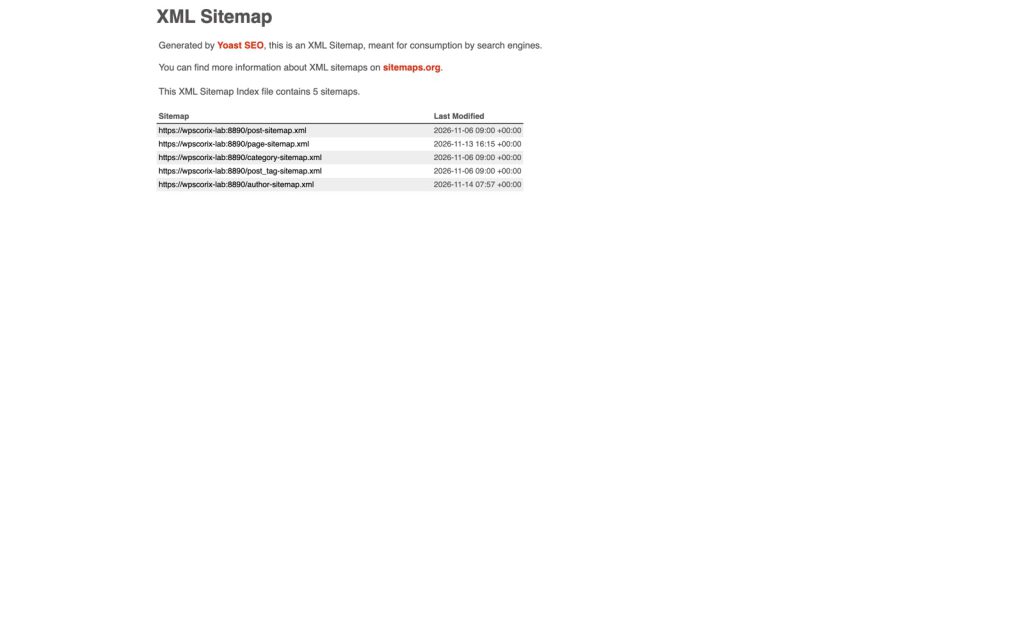
Right after activation, Yoast created a sitemap index at /sitemap_index.xml with 5 sitemaps: posts, pages, categories, tags and authors. WordPress’s own sitemap address now redirects to it, and the sitemap address was added to robots.txt. We did not need to change any setting.
Social sharing tags
Yoast added 10 Open Graph tags and 5 X (Twitter) tags to our test post. They include the title, description, URL, image and its size, and the author. Shared links therefore get a proper preview without extra work.
Structured data (schema)
Yoast added a schema graph to our test post with no setup. It described the Article, WebPage, featured image, breadcrumbs, website and author. If you already use a dedicated schema plugin, check that only one of them outputs schema. On our main site, our schema plugin switches Yoast’s schema off on purpose.
Meta descriptions
Yoast did not add a meta description to our test post by default. You write one per post in the editor sidebar, or set a template per content type in the settings.
Premium tools
According to Yoast, Premium adds a redirect manager with bulk CSV import, internal linking suggestions and up to five keyphrases per page. It also adds social previews, SEO workouts for orphaned content and AI tools for titles and descriptions. Yoast Local, Video and News SEO are now included in Premium. We did not test any of these.
Setup and ease of use
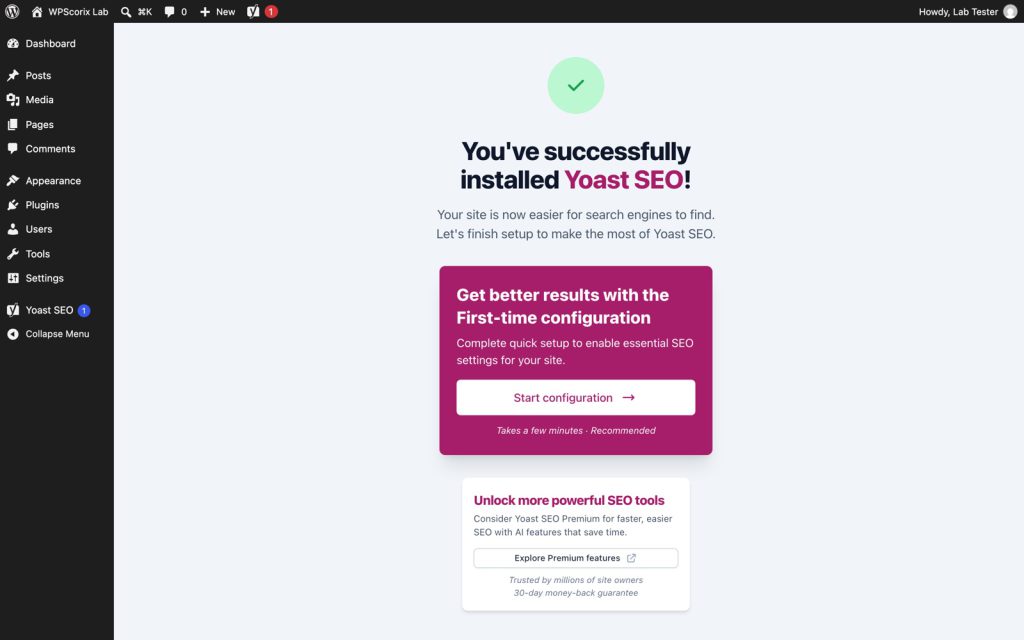
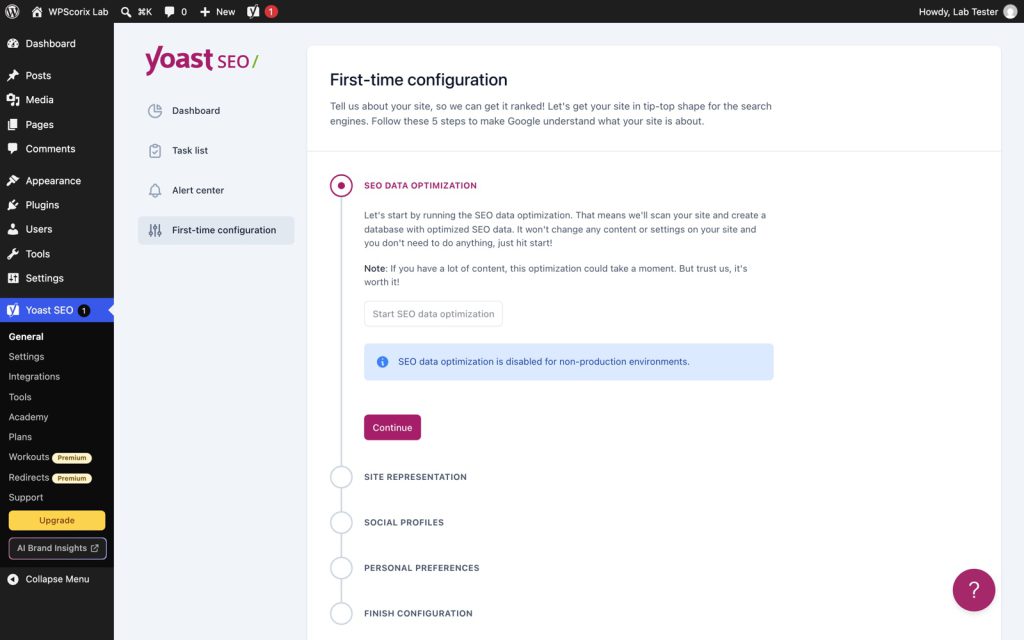
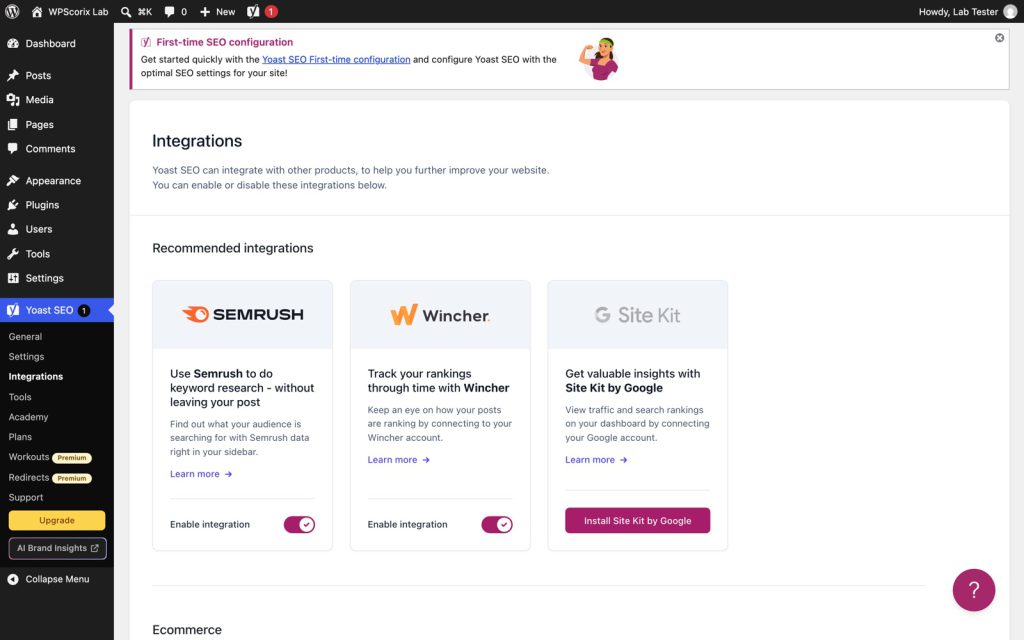
After activation, Yoast opens a welcome screen with a clear Start configuration button. The first-time configuration has five steps: SEO data optimization, site representation, social profiles, personal preferences and a finish screen. Step 1 is switched off on test sites, so we could not run it in the lab.
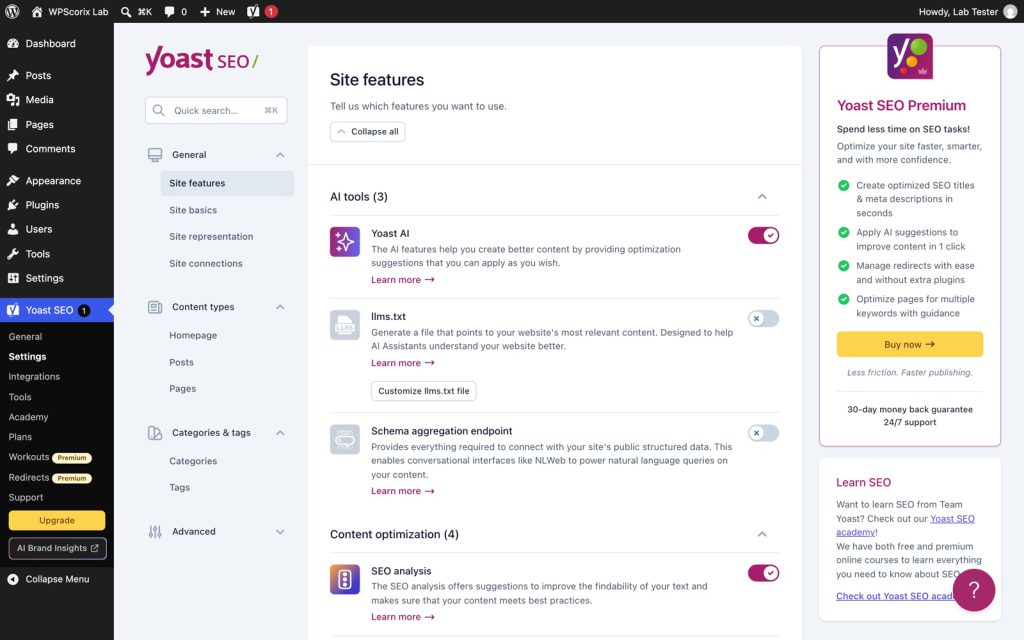
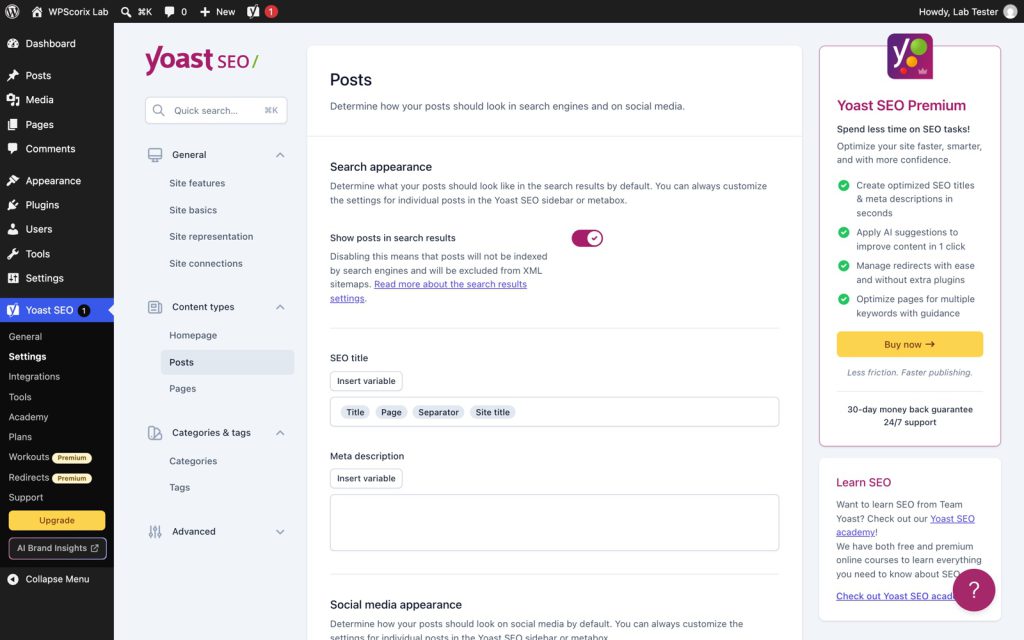
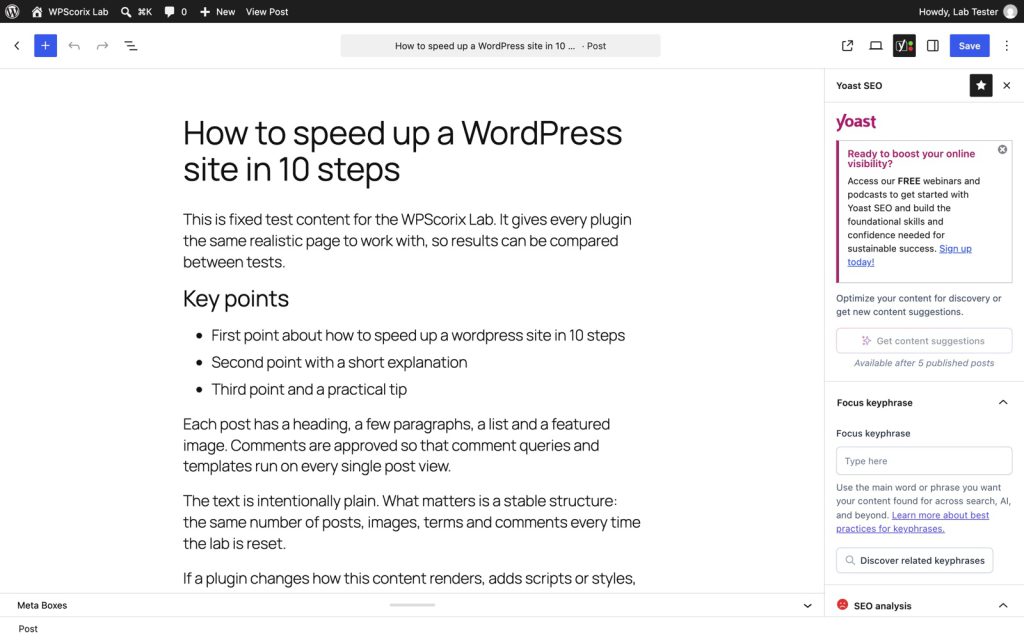
The settings are well organised. A left menu groups them by site, content type and taxonomy, and a quick search finds any setting. Each feature has a toggle and a one-line description. In the editor, the Yoast sidebar shows a focus keyphrase field and the SEO and readability analysis.
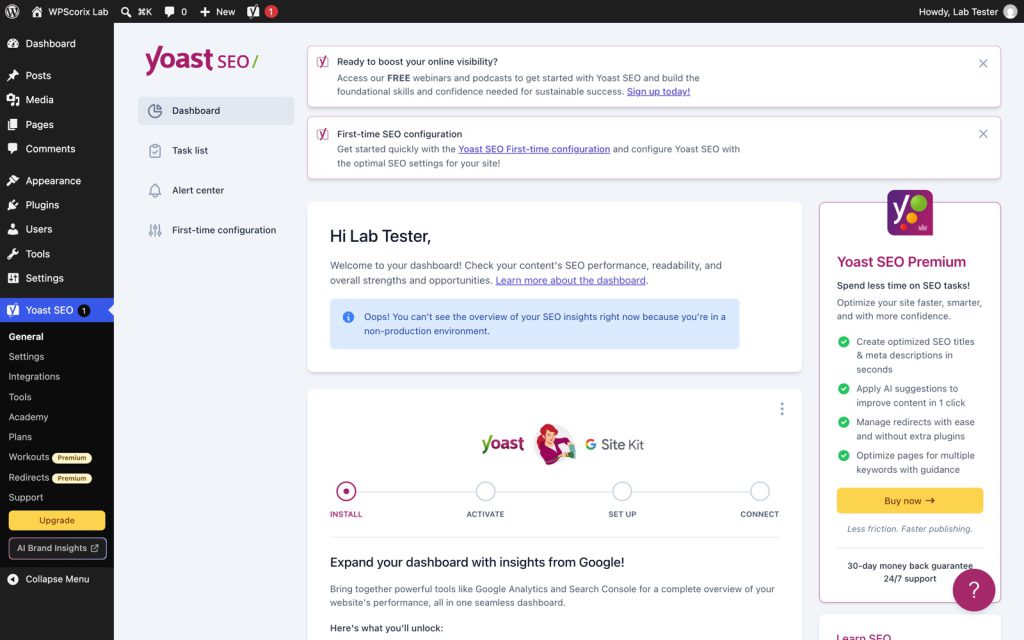
The main drawback is the amount of Premium promotion. On our lab site we saw an AI feature pop-up on the dashboard and a webinar banner. A Premium box sits beside every settings page, with Unlock with Premium buttons. One even sits inside the editor’s SEO analysis. None of it blocks the free features, but it adds noise for new users.
Yoast SEO screenshots
Performance results
Performance results
| Metric | Without plugin | With plugin | Difference |
|---|---|---|---|
| Time to first byte (median of 3) | 1,332 ms | 1,777 ms | +445 ms (+33.4%) |
| Page weight | 232.30 KB | 236.40 KB | +4.10 KB (+1.8%) |
| Front-end CSS/JS files | 4 | 4 | No change |
| DB queries per page | 22 | 34 | +12 (+54.5%) |
| Peak PHP memory | 40 MB | 48.50 MB | +8.50 MB (+21.3%) |
| Autoloaded options | 49.60 KB | 62.50 KB | +12.90 KB (+26.0%) |
| Database tables | 12 | 18 | +6 (+50.0%) |
| Lighthouse performance score | not measured | not measured | – |
Yoast added no CSS or JavaScript files to our lab test page, and the page grew by about 4 KB. The bigger changes are on the server. Each page view ran 12 more database queries, and peak PHP memory rose from 40 MB to 48.5 MB.
The median time to first byte went from 1,332 ms to 1,777 ms. With Yoast the timing varied more between runs, so treat that number as a rough guide. Yoast also added 6 database tables, about 13 KB of autoloaded options and one scheduled task while active. We could not run Lighthouse in the lab.
Compatibility, security and support
Version 28.8 requires WordPress 7.0 and PHP 7.4, and is tested up to WordPress 7.1.4, according to WordPress.org. It was last updated on 27 October 2026.
Patchstack and WPScan list four vulnerabilities disclosed between February and July 2026. Three were stored cross-site scripting issues that required a Contributor or Author account. One was a low-severity information exposure. All four were fixed, in versions 26.6 to 28.1. None is listed as unpatched.
Deleting the plugin left data behind. In our lab, 6 yoast database tables, 7 wpseo options, 2 scheduled tasks and 3 Yoast user settings were still there after uninstall.
We did not run our own support test, so the support score comes from community data, checked on 13 November 2026. On the WordPress.org forum, 42 of 48 threads were resolved in the last two months. Free users get help only there; Yoast says Premium users get 24/7 chat and email support. On Trustpilot, Yoast is rated 4.6 out of 5 from 921 reviews, and many recent reviews praise fast replies from the Premium team. On WordPress.org, 4 of about 61 recent review titles criticise support. Yoast’s help center has a searchable knowledge base in 6 categories.
Pros and cons
Based on our test of Yoast SEO 28.8 in the WPScorix Lab on 13 November 2026.
Pros
- Created an XML sitemap index and a robots.txt entry right after activation, with no setup.
- Added no CSS or JavaScript files to our front-end pages.
- Adds Open Graph and X (Twitter) tags automatically, so shared links get a title and description.
- Actively maintained: last updated 27 October 2026 and tested up to WordPress 7.1.4.
- Rated 4.8/5 from 27,820 WordPress.org reviews, with 42 of 48 recent support threads resolved.
- A clear first-time configuration wizard and well-organised settings with a quick search.
Cons
- On our lab test page it added 12 database queries and raised peak PHP memory from 40 MB to 48.5 MB.
- Deleting it left 6 database tables, 7 options and 2 scheduled tasks behind.
- Redirects, internal linking suggestions and extra keyphrases need Premium at $118.80 a year per site (ex VAT).
- Four security issues were fixed in 2026, so you need to keep it updated.
- Premium promotions appear on almost every admin screen, including inside the editor's SEO analysis.
Pricing and value
Yoast SEO pricing (checked 13 Nov 2026, prices ex VAT)
| Plan | Price | Best for | |
|---|---|---|---|
Yoast SEO (free) | $0 | Sitemaps, social tags and the core SEO settings | Download free |
| $118.80 / year, 1 site | Redirects, internal linking, up to 5 keyphrases, AI tools | Get Premium | |
Yoast WooCommerce SEO | $178.80 / year, 1 site | Everything in Premium plus WooCommerce tools | See plan |
The free plugin covers the essentials, so many sites never need to pay. Premium costs $118.80 a year for one site, and Yoast WooCommerce SEO costs $178.80. Prices exclude VAT and are billed yearly, according to yoast.com on 13 November 2026. Yoast did not state a separate renewal price.
You can get a full refund within 30 days of your first purchase. Renewals are not refunded, according to Yoast’s refund policy. The value of Premium depends on whether you will use the redirect manager and internal linking tools every week. If you will not, stay on the free version.
Score breakdown
- Features: 3.5/5. Every free feature we checked worked out of the box; Premium was not tested.
- Performance: 3.0/5. No added front-end files, but 12 more database queries, 8.5 MB more PHP memory and a slower first byte in our lab.
- UX / UI: 3.0/5. A clear setup wizard and well-organised settings, but heavy Premium promotion on almost every screen.
- Support: 3.5/5. Based on community data, not our own support test. Most forum threads get resolved and paid support is well rated, but free users only get the forum.
- Pricing & value: 3.0/5. A useful free version; Premium is priced per site with no renewal refunds.
- Security & Maintenance: 3.0/5. Updated often and all known issues fixed, but four were disclosed in 2026.
- Leaving data behind after uninstall takes 0.25 off the overall score.
Top alternatives
| Plugin | WPScorix score | WordPress.org data (13 Nov 2026) | |
|---|---|---|---|
| 2.9/5 | 4M+ installs, rated 4.8/5 from 7,525 reviews | View | |
| Not reviewed yet | 2M+ installs, rated 4.7/5 from 5,235 reviews | View | |
| Not reviewed yet | 300,000+ installs, rated 4.8/5 from 1,269 reviews | View | |
| Not reviewed yet | 200,000+ installs, rated 4.9/5 from 381 reviews | View |
Yoast SEO FAQ
Is Yoast SEO free?
Is Yoast SEO Premium worth it?
Does Yoast SEO slow down WordPress?
Is Yoast SEO safe to use?
Does Yoast SEO delete its data when you uninstall it?
What does Yoast SEO need to run?
Bottom line: should you use Yoast SEO?
Yoast SEO scores 3.0 out of 5 in our test. The free version did everything we checked without setup: sitemaps, social tags, schema and a robots.txt entry. Its setup wizard and settings are easy to follow, and it added no front-end files.
Choose the free plugin if you run a blog or small business site and want reliable basics. Consider Premium only if you will use redirects and internal linking every week. If your host has little memory, or you want a plugin that cleans up after itself, compare Rank Math first. There is no risk in trying it: the free version costs nothing, and Premium has a 30-day refund window.
Review history
- Approved and published; replaces the previous Yoast SEO page
- First published review draft
- Re-tested on WPScorix Lab, gallery added
Community Reviews
No reviews yet! Be the first to add a review.